How to choose a web designer on the Gold Coast: 12 questions to ask
Hiring a web designer on the Gold Coast? Twelve questions to ask before you sign, what good answers sound like, and the red flags to watch for.
Read article
An honest comparison of WordPress, Webflow and Framer for small business websites: ease of editing, SEO, cost, flexibility and which suits your business.

Aidan Pawluk
Design Director ·

Choosing a platform is one of the first decisions in any website project, and it shapes everything that comes after: what the site can do, how easy it is to update and what it costs to run. We build on all three of the popular options, so here’s an honest comparison of WordPress vs Webflow vs Framer for small business websites.
WordPress powers a huge share of the web, and it’s the most flexible of the three. You can host it anywhere, extend it with plugins and build almost anything, from a five page brochure site to a large e-commerce store.
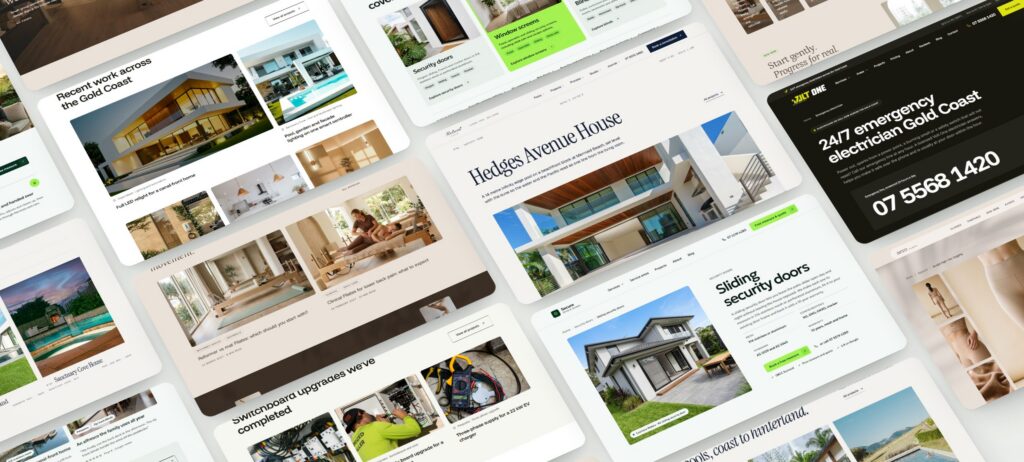
When we build on WordPress, we use a visual builder that keeps editing simple for you while giving us full design control. Our Retreat Pools and Volt One Electrical concept sites are both WordPress builds.
Webflow is a hosted platform with a powerful visual designer and a built-in content management system. Hosting, security and updates are handled for you.
Framer started as a design tool and has grown into a fast way to publish beautiful, animated websites. It’s hosted, quick to build in and excellent for smaller marketing sites.
All three can rank well. SEO depends far more on how the site is built and what’s on it than on the platform. What matters is clean page structure, fast loading, good content, proper titles and descriptions, schema and a sensible URL structure. A well built site on any of the three will outrank a badly built site on any other.
For most Gold Coast service businesses that want to grow through search, we recommend WordPress, because it handles large numbers of service and suburb pages well and keeps you in control. But we build on the platform that suits the job and your team, not the one we happen to prefer.
Tell us what your site needs to do and we’ll recommend the right platform as part of our web design service. Curious about cost? Our guide to what a website costs on the Gold Coast breaks it down.
Still deciding? The platform is only one part of the picture. Read custom website design vs templates, or see how we plan and build sites on our web design page.
Keep reading
Hiring a web designer on the Gold Coast? Twelve questions to ask before you sign, what good answers sound like, and the red flags to watch for.
Read article
Eight signs your website is holding your business back, and a step by step plan for a redesign that keeps your rankings and brings in more enquiries.
Read article
Templates are quick and cheap; custom design is built around your customers. An honest comparison of cost, speed, SEO, flexibility and results.
Read article